
- Tech
- Shop




Blog
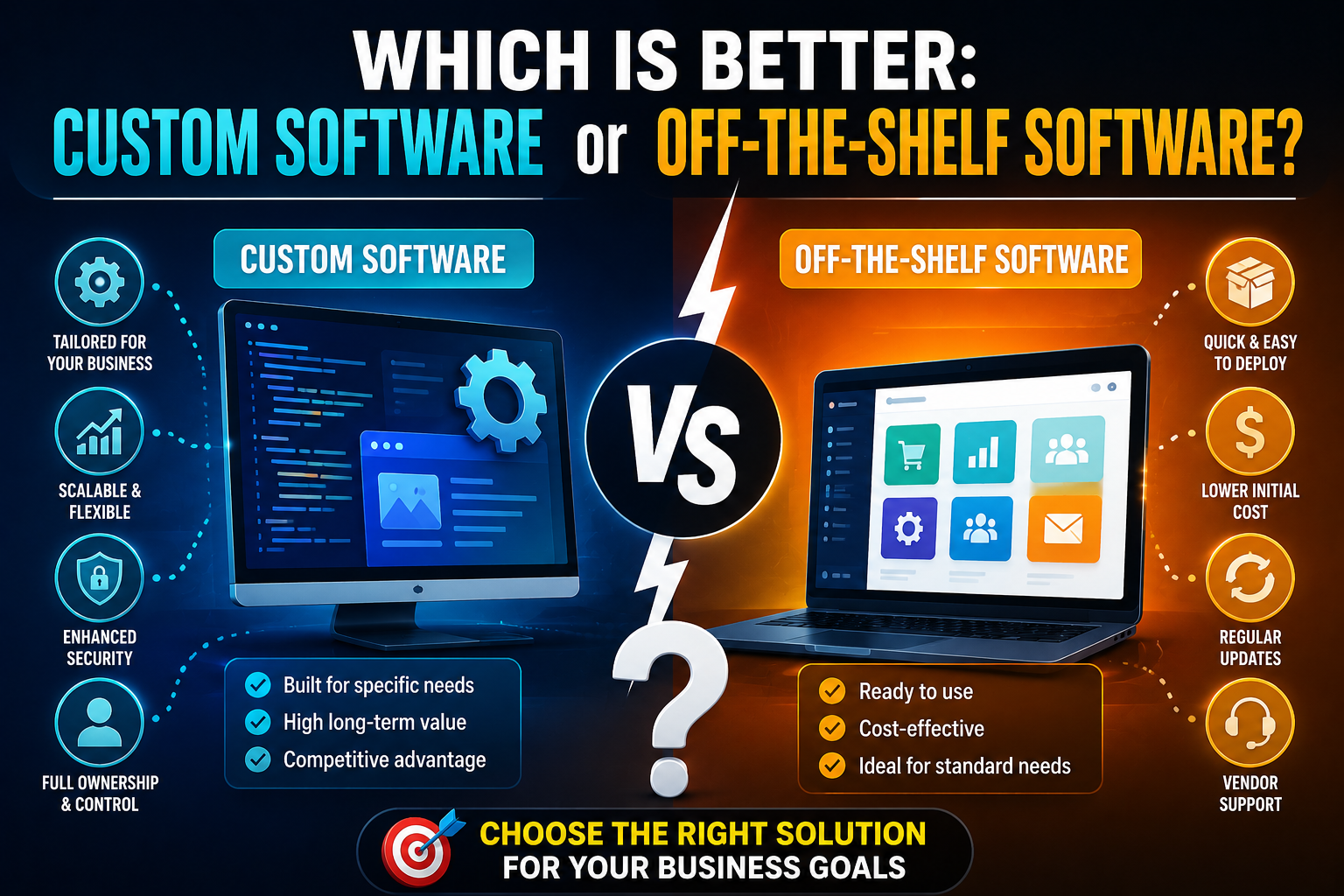
Custom Software vs Off-the-Shelf Software: Which Is Better?
In today’s fast-paced digital world, software plays a critical role in business operations, customer management, productivity, and growth. Whether you run a startup, small business, or large enterprise, choosing the right software solution can directly impact efficiency and profitability.
One of the biggest decisions businesses face is choosing between Custom Software and Off-the-Shelf Software. Both options offer unique advantages and limitations, depending on business goals, budget, scalability, and operational requirements.
In this blog, we will explain the differences between custom software and off-the-shelf software, along with their benefits, drawbacks, and which option may be best for your business.
What Is Custom Software?
Custom software is a tailor-made solution developed specifically for a business or organization according to its unique requirements.
Unlike ready-made software, custom software is designed to solve specific business problems and match company workflows perfectly.
Examples of Custom Software:
- CRM systems
- ERP solutions
- Inventory management systems
- Mobile applications
- Booking platforms
- Healthcare management systems
Custom software is usually developed by professional software development companies or in-house teams.
What Is Off-the-Shelf Software?
Off-the-shelf software refers to ready-made software products designed for a broad audience and multiple industries.
These solutions are already developed, tested, and available for immediate use.
Examples of Off-the-Shelf Software:
- Microsoft Office
- Zoom
- Shopify
- QuickBooks
- Adobe Photoshop
- Trello
Businesses can purchase subscriptions or licenses and start using them quickly.
Key Differences Between Custom Software and Off-the-Shelf Software
| Feature | Custom Software | Off-the-Shelf Software |
|---|---|---|
| Development | Built specifically for your business | Pre-built for general users |
| Cost | Higher initial investment | Lower upfront cost |
| Flexibility | Highly customizable | Limited customization |
| Scalability | Easily scalable | Depends on vendor limitations |
| Deployment Time | Longer development time | Quick implementation |
| Ownership | Full ownership and control | Vendor-controlled |
| Maintenance | Managed by developers | Managed by software provider |
| Security | Enhanced custom security | Standard security features |
Advantages of Custom Software
1. Tailored to Business Needs
Custom software is developed according to your exact business requirements.
Benefits:
- Matches workflows perfectly
- Eliminates unnecessary features
- Improves operational efficiency
- Supports unique business models
This level of personalization can improve productivity and performance.
2. Better Scalability
As your business grows, custom software can evolve with it.
Scalability Benefits:
- Add new features anytime
- Support growing user base
- Integrate advanced technologies
- Adapt to changing business goals
Custom software provides long-term flexibility.
3. Enhanced Security
Custom-built solutions often provide stronger security because they are designed specifically for your system architecture.
Security Advantages:
- Custom authentication methods
- Better data protection
- Reduced exposure to common threats
- Controlled access management
This is especially important for industries handling sensitive data.
4. Competitive Advantage
Custom software can help businesses stand out from competitors.
Examples:
- Unique customer experiences
- Automated business processes
- Personalized features
- Faster operations
Businesses gain tools specifically designed for growth and innovation.
5. Full Ownership and Control
With custom software, businesses own the entire system.
Ownership Benefits:
- No dependency on vendors
- Full customization rights
- Greater operational control
- Long-term cost efficiency
You decide how the software evolves over time.
Disadvantages of Custom Software
1. Higher Initial Cost
Custom software development requires significant investment.
Costs Include:
- Development
- Testing
- Maintenance
- Infrastructure
- Ongoing updates
However, long-term benefits often justify the investment.
2. Longer Development Time
Building custom software takes time because everything is developed from scratch.
Development Stages:
- Planning
- Design
- Coding
- Testing
- Deployment
Complex projects may require several months.
Advantages of Off-the-Shelf Software
1. Quick Deployment
Ready-made software can be implemented immediately.
Benefits:
- Fast setup
- Minimal technical effort
- Immediate productivity
- Faster onboarding
This is ideal for businesses needing quick solutions.
2. Lower Initial Cost
Most off-the-shelf software products are affordable subscription-based solutions.
Cost Benefits:
- Lower upfront investment
- Monthly or yearly plans
- No development cost
- Predictable pricing
Small businesses often prefer this option.
3. Regular Updates and Support
Software providers regularly release updates and security patches.
Support Includes:
- Technical assistance
- Bug fixes
- Feature improvements
- Security updates
Users benefit from continuous improvements without managing development teams.
4. Proven Reliability
Off-the-shelf software is usually tested by thousands or millions of users.
Reliability Benefits:
- Stable performance
- Established reputation
- Large user communities
- Extensive documentation
This reduces implementation risks.
Disadvantages of Off-the-Shelf Software
1. Limited Customization
Ready-made software may not fully match your business needs.
Limitations:
- Unnecessary features
- Workflow restrictions
- Limited flexibility
- Vendor limitations
Businesses may need to adjust their processes to fit the software.
2. Subscription Dependency
Businesses rely heavily on the software provider.
Risks Include:
- Price increases
- Feature limitations
- Vendor lock-in
- Service discontinuation
You have less control over future changes.
3. Scalability Challenges
Some off-the-shelf solutions may struggle with advanced or growing business requirements.
Common Issues:
- Performance limitations
- Limited integrations
- Restricted customization
- Additional upgrade costs
This can affect long-term business growth.
Which Is Better for Your Business?
The right choice depends on your business size, goals, budget, and technical requirements.
Choose Custom Software If:
- You need unique business functionality
- You require advanced scalability
- Security is a top priority
- You want full ownership
- Your workflows are highly specialized
Choose Off-the-Shelf Software If:
- You need a quick solution
- Your budget is limited
- Your requirements are standard
- You prefer lower maintenance responsibilities
- You need immediate deployment
Industries That Prefer Custom Software
Many industries benefit greatly from custom software solutions.
Common Industries:
- Healthcare
- Banking
- Logistics
- eCommerce
- Education
- Manufacturing
- Real Estate
These industries often require specialized workflows and advanced security.
Future Trends in Business Software
Modern software development continues to evolve rapidly.
Emerging Trends:
- Artificial Intelligence (AI)
- Cloud computing
- Automation
- Blockchain technology
- SaaS platforms
- Mobile-first solutions
Businesses must choose software solutions that can adapt to future technologies.
Conclusion
Both custom software and off-the-shelf software offer valuable benefits depending on business needs. Off-the-shelf software provides affordability, convenience, and fast deployment, while custom software delivers flexibility, scalability, security, and long-term competitive advantages.
Businesses should carefully evaluate their goals, budget, operational requirements, and growth plans before making a decision.
Choosing the right software solution is not just a technical decision — it is a strategic investment that can directly influence business efficiency, customer satisfaction, and future growth.
Related posts
Signs Your Business Needs a Website Redesign

How to Know When It’s Time to Upgrade Your Website for Better Growth and Performance
In today’s digital world, your website is often...
Responsive Web Design Explained: A Complete Guide
Why Responsive Design Is Essential for Modern Websites
In today’s digital world, users access websites through a wide variety of dev...
Website Maintenance: Why It Matters for Business Growth
The Importance of Regular Website Maintenance for Performance, Security, and Success
In today’s digital world, a business website is...
Choosing the Right Technology Stack for Your Business Project
How to Choose the Right Technology Stack for Your Project
Choosing the right technology stack is one of the most important decisions...
Top Benefits of Progressive Web Apps for Businesses
Benefits of Progressive Web Apps (PWAs)
In today’s digital landscape, businesses are constantly looking for faster, more efficient, ...

Common Website Security Errors Businesses Must Avoid
Common Website Security Mistakes and How to Avoid Them
In today’s digital world, website security is more important than ever. Busin...

The Impact of Website Speed on SEO and Conversions
How Website Speed Affects SEO and Conversions
In today’s fast-paced digital world, website speed plays a critical role in online suc...
Future of Web Development: Trends Businesses Must Follow
Top Web Development Trends Businesses Should Watch
In today’s fast-changing digital landscape, web development continues to evolve r...
Which Is Better: Custom Software or Off-the-Shelf Software?
Custom Software vs Off-the-Shelf Software: Which Is Better?
In today’s fast-paced digital world, software plays a critical role in b...

How Mobile Apps Increase Business Revenue
How Mobile Apps Help Businesses Increase Revenue
In today’s fast-growing digital economy, mobile applications have become one of the...
Mobile App Development Lifecycle Explained
Mobile App Development Process Explained
In today’s digital world, mobile applications have become an essential part of businesses, ...
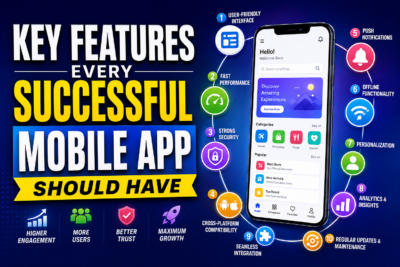
Key Features Every Successful Mobile App Should Have
Key Features Every Successful Mobile App Should Have
In today’s competitive digital world, building a mobile app is easier than ever...