
- Tech
- Shop




Blog
Why Responsive Design Is Essential for Modern Websites
In today’s digital world, users access websites through a wide variety of devices, including smartphones, tablets, laptops, desktops, and even smart TVs. Because of this, businesses can no longer rely on websites designed only for desktop screens. Modern websites must adapt seamlessly to different screen sizes and devices — and this is where responsive web design becomes essential.
Responsive web design is one of the most important elements of modern website development. It ensures websites look attractive, function properly, and provide smooth user experiences across all devices.
In this complete guide, we will explore what responsive web design is, why it matters, its benefits, key principles, best practices, and future trends.
What Is Responsive Web Design?
Responsive web design is a web development approach that allows websites to automatically adapt their layout, content, and functionality according to the user’s screen size and device.
A responsive website adjusts elements such as:
- Images
- Text
- Navigation menus
- Layout structures
- Buttons
- Content spacing
This creates a consistent and user-friendly experience on every device.
Why Responsive Web Design Matters
Internet usage has shifted heavily toward mobile devices. Millions of users browse websites daily using smartphones and tablets.
Without responsive design:
- Websites may appear broken on smaller screens
- Users may struggle to navigate
- Content may become unreadable
- Loading speed may decrease
- Bounce rates may increase
Responsive web design helps businesses provide smooth experiences for all users.
Key Benefits of Responsive Web Design
1. Improved User Experience
User experience is one of the most important factors for website success.
Responsive websites provide:
- Easy navigation
- Better readability
- Faster interaction
- Optimized layouts
- Smooth browsing experience
A positive user experience increases customer engagement and satisfaction.
2. Mobile-Friendly Experience
Mobile traffic now dominates internet usage worldwide.
Responsive design ensures:
- Websites fit smaller screens properly
- Buttons are touch-friendly
- Text remains readable
- Mobile navigation works smoothly
Mobile optimization is essential for modern businesses.
3. Better SEO Performance
Search engines like Google prioritize mobile-friendly and responsive websites.
SEO Benefits Include:
- Higher search rankings
- Improved mobile SEO
- Faster page indexing
- Lower bounce rates
Responsive websites help businesses improve online visibility.
4. Faster Website Maintenance
Instead of managing separate desktop and mobile websites, responsive design uses a single website structure.
Maintenance Benefits:
- Easier updates
- Lower development costs
- Simplified content management
- Faster troubleshooting
Managing one responsive website is more efficient than maintaining multiple versions.
5. Increased Conversion Rates
Responsive websites improve customer journeys and reduce frustration.
Conversion Benefits:
- Better form usability
- Faster checkout process
- Improved navigation
- Enhanced product browsing
Users are more likely to complete purchases or inquiries on responsive websites.
6. Cost-Effective Development
Responsive design reduces the need for separate mobile applications or multiple websites.
Businesses Save Money By:
- Maintaining one codebase
- Reducing development complexity
- Simplifying updates
Responsive websites provide long-term cost efficiency.
Core Principles of Responsive Web Design
1. Flexible Grid Layouts
Responsive websites use flexible grids instead of fixed layouts.
Flexible Grids:
- Automatically adjust screen size
- Scale content proportionally
- Improve layout consistency
This creates better visual experiences across devices.
2. Responsive Images
Images must resize correctly without affecting performance or design quality.
Responsive Image Techniques:
- CSS image scaling
- Lazy loading
- Modern image formats
- Adaptive image sizes
Optimized images improve loading speed and responsiveness.
3. Media Queries
Media queries allow websites to apply different styles based on screen size and device type.
Media Queries Help:
- Adjust layouts
- Resize text
- Modify spacing
- Optimize navigation
They are a core feature of responsive web development.
4. Mobile-First Design
Mobile-first design focuses on designing for smaller screens before larger devices.
Advantages:
- Better mobile optimization
- Faster performance
- Cleaner design structure
- Improved accessibility
Mobile-first strategies are now industry standards.
Essential Elements of Responsive Web Design
Responsive Navigation
Menus should adapt smoothly across devices.
Common Mobile Navigation Styles:
- Hamburger menus
- Sticky navigation
- Dropdown menus
- Full-screen navigation
Simple navigation improves usability.
Flexible Typography
Text should remain readable on all devices.
Responsive Typography Includes:
- Adjustable font sizes
- Proper spacing
- Readable line lengths
Typography affects accessibility and user experience.
Responsive Buttons and Forms
Buttons and forms should work easily on touchscreens.
Best Practices:
- Larger clickable areas
- Simple forms
- Touch-friendly spacing
User-friendly forms improve conversions.
Responsive Video and Media
Videos and media content should resize automatically without distortion.
Benefits:
- Better viewing experience
- Improved performance
- Cross-device compatibility
Media optimization improves engagement.
Common Responsive Web Design Breakpoints
Breakpoints define screen sizes where layouts adjust.
Typical Breakpoints:
- Mobile: 320px–480px
- Tablet: 768px
- Laptop: 1024px
- Desktop: 1200px+
Modern websites often use flexible breakpoints based on content needs.
Responsive Web Design Best Practices
1. Prioritize Mobile Performance
Fast mobile experiences are essential.
Optimization Tips:
- Compress images
- Minimize code
- Reduce unnecessary scripts
- Enable caching
Performance directly impacts user satisfaction and SEO.
2. Use Responsive Frameworks
Frameworks simplify responsive development.
Popular Frameworks:
- Bootstrap
- Tailwind CSS
- Foundation
These frameworks provide pre-built responsive components.
3. Test Across Devices
Websites should be tested on multiple screen sizes and browsers.
Testing Helps:
- Identify layout issues
- Improve compatibility
- Enhance user experience
Cross-device testing ensures consistency.
4. Optimize Website Speed
Responsive websites must load quickly across all devices.
Speed Optimization Includes:
- CDN integration
- Lazy loading
- File compression
- Efficient hosting
Fast websites improve engagement and conversions.
5. Improve Accessibility
Responsive websites should remain accessible to all users.
Accessibility Features:
- Readable fonts
- Keyboard navigation
- Proper color contrast
- Screen reader compatibility
Accessibility improves usability and inclusivity.
Responsive Web Design and SEO
Responsive design strongly supports search engine optimization.
SEO Advantages:
- Mobile-friendly indexing
- Reduced duplicate content
- Faster loading speed
- Better user engagement
Google recommends responsive design as the preferred mobile optimization method.
Common Responsive Web Design Mistakes
1. Ignoring Mobile Users
Some websites still prioritize desktop experiences.
Problems:
- Poor mobile usability
- High bounce rates
- Lower conversions
Mobile-first strategies help avoid this issue.
2. Using Large Unoptimized Images
Heavy images slow down websites significantly.
Solution:
- Compress images
- Use responsive image formats
- Apply lazy loading
Image optimization improves performance.
3. Poor Navigation Design
Complex menus confuse users on small screens.
Solution:
- Simplify navigation
- Use touch-friendly elements
- Reduce menu clutter
Good navigation improves engagement.
4. Inconsistent Testing
Failing to test across devices can create usability problems.
Solution:
- Test on real devices
- Use responsive testing tools
- Check browser compatibility
Continuous testing improves reliability.
Responsive Design vs Mobile Apps
Responsive websites and mobile apps serve different purposes.
| Feature | Responsive Website | Mobile App |
|---|---|---|
| Installation | No | Yes |
| Platform Compatibility | Universal | Platform-specific |
| Development Cost | Lower | Higher |
| SEO Friendly | Yes | No |
| Offline Access | Limited | Better |
Many businesses combine responsive websites with mobile apps for complete digital experiences.
Future of Responsive Web Design
Responsive design continues evolving with new technologies.
Emerging Trends:
- AI-driven personalization
- Voice interface optimization
- Foldable device compatibility
- Advanced accessibility features
- Motion UI integration
Businesses must continue adapting to changing user behaviors and devices.
Conclusion
Responsive web design is no longer optional — it is a fundamental requirement for modern websites. A responsive website improves user experience, mobile usability, SEO performance, customer engagement, and conversions while reducing maintenance complexity and development costs.
As users continue accessing websites from multiple devices, businesses must prioritize responsive design to remain competitive and provide seamless digital experiences.
Investing in responsive web design is an investment in long-term business growth, customer satisfaction, and online success.
Related posts
Signs Your Business Needs a Website Redesign

How to Know When It’s Time to Upgrade Your Website for Better Growth and Performance
In today’s digital world, your website is often...
Responsive Web Design Explained: A Complete Guide
Why Responsive Design Is Essential for Modern Websites
In today’s digital world, users access websites through a wide variety of dev...
Website Maintenance: Why It Matters for Business Growth
The Importance of Regular Website Maintenance for Performance, Security, and Success
In today’s digital world, a business website is...
Choosing the Right Technology Stack for Your Business Project
How to Choose the Right Technology Stack for Your Project
Choosing the right technology stack is one of the most important decisions...
Top Benefits of Progressive Web Apps for Businesses
Benefits of Progressive Web Apps (PWAs)
In today’s digital landscape, businesses are constantly looking for faster, more efficient, ...

Common Website Security Errors Businesses Must Avoid
Common Website Security Mistakes and How to Avoid Them
In today’s digital world, website security is more important than ever. Busin...

The Impact of Website Speed on SEO and Conversions
How Website Speed Affects SEO and Conversions
In today’s fast-paced digital world, website speed plays a critical role in online suc...

Future of Web Development: Trends Businesses Must Follow
Top Web Development Trends Businesses Should Watch
In today’s fast-changing digital landscape, web development continues to evolve r...

Which Is Better: Custom Software or Off-the-Shelf Software?
Custom Software vs Off-the-Shelf Software: Which Is Better?
In today’s fast-paced digital world, software plays a critical role in b...

How Mobile Apps Increase Business Revenue
How Mobile Apps Help Businesses Increase Revenue
In today’s fast-growing digital economy, mobile applications have become one of the...
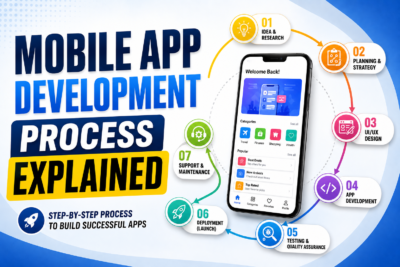
Mobile App Development Lifecycle Explained
Mobile App Development Process Explained
In today’s digital world, mobile applications have become an essential part of businesses, ...

Key Features Every Successful Mobile App Should Have
Key Features Every Successful Mobile App Should Have
In today’s competitive digital world, building a mobile app is easier than ever...